
For a long time, speech recognition has mostly been judged by one question: did it hear what I said correctly?
That is still the foundation. But once you start building voice agents that actually take actions in the real world, it is no longer enough.
A production voice agent eventually has to turn a conversation into something a system can use.
It has to collect an email address and send a confirmation. Capture a phone number and call someone back. Take down a name and create a CRM record. Understand an address and schedule a technician. Hear an account number and look up the right customer.
At that point, transcription stops being just a record of what someone said.
It becomes an input to software.
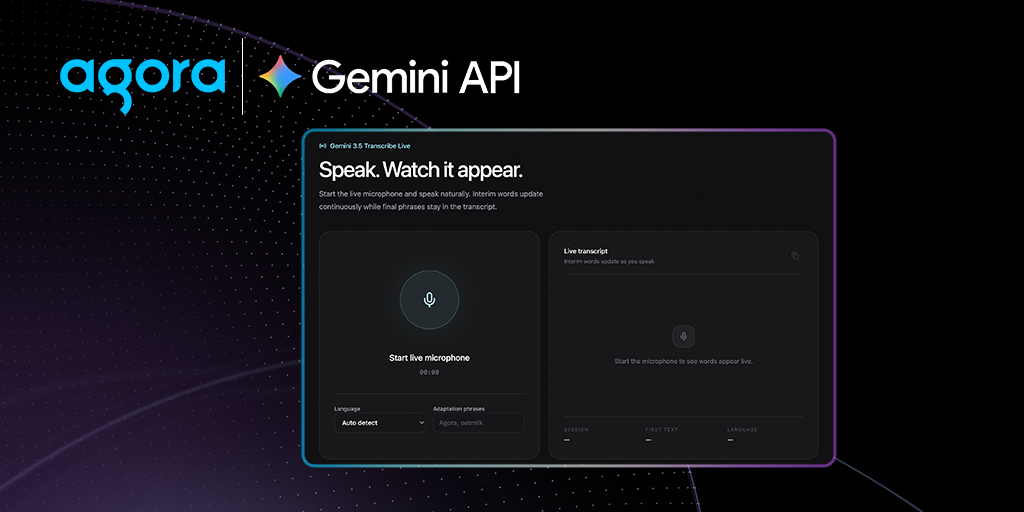
That is what makes models/gemini-3.5-transcribe-live particularly interesting. It is not only focused on accurately recognizing speech in real time, but also on producing transcripts that are more useful to the systems consuming them.
And with Smart Transcription, developers can now explicitly choose what kind of transcript they want.
Inside input_audio_transcription, the new mode parameter supports two behaviors:
-
VERBATIM, the default, preserves what was actually spoken: filler words like “um” and “uh,” repetitions, false starts, and corrections. -
SMARTcleans the transcript as it is produced, removing disfluencies, resolving self-corrections, improving grammar and casing, and adding useful structure such as lists, numbers, dates, and paragraph breaks.
That distinction matters a lot for voice agents.
If someone says:
“Yeah, uh, my email is Mason dot Adams at example dot com.”
a verbatim transcript should preserve the conversation closely enough that the agent can immediately understand the turn and respond.
Speed matters here. Voice agents are extremely sensitive to latency. You do not want every conversational turn waiting on additional processing just so the transcript looks nice.
But humans do not speak like database rows.
We restart sentences. We say “uh” and“umm.” We correct ourselves halfway through a phone number. We spell names out. We say “dot” and “at” instead of punctuation. We change our minds halfway through an answer.
All of that is completely normal in a conversation.
It is much less useful when that conversation is about to become an API request.
With Smart Transcription, the same messy spoken input can instead be cleaned into something much closer to what the application actually needs.
So something like:
“Uh yeah it’s Mason dot Adams at example dot com”
can be represented much more cleanly as:
mason.adams@example.com
Or consider someone giving a phone number:
“My number is four one five, uh sorry, four one zero, five five five, twelve thirty.”
The interesting problem is not simply transcribing every word correctly.
The important part is understanding that 415 was a false start and 410 was the correction.
That distinction becomes critical when the next step is a tool call.
This is why production voice agents fail at the edges.
It is relatively easy to build a demo where an agent understands that someone wants to book an appointment. The hard part is reliably capturing the email address that the confirmation goes to.
It is easy to understand that someone wants roadside assistance. The hard part is getting the address right.
It is easy for an LLM to understand the intent behind “call me tomorrow.” The hard part is making sure the phone number you pass into the calling API is actually the number the person gave you.
The closer a voice agent gets to taking real actions, the more these details matter. A normal conversation can tolerate ambiguity. APIs, CRMs, scheduling systems, payment workflows, and databases usually cannot.
That is why having both verbatim and smart transcription modes is useful architecturally. Sometimes you genuinely want the raw conversation. Compliance workflows, conversation logs, debugging, analytics, and certain agent reasoning tasks may care about exactly what the user said. Other times, the transcript is about to cross the boundary from conversation into software.
That is where SMART becomes much more valuable.
You are no longer asking one transcript to simultaneously be a perfect record of human speech and a clean representation for a machine.
You can choose the representation that fits the job.
The same Smart Transcription capability is also available for unary transcription, which makes the distinction useful beyond live voice agents. Recorded calls, voicemail processing, meeting capture, and other offline speech workflows can benefit from the same cleanup behavior.
The concept remains important, especially for production voice systems where company names, product names, customer terminology, acronyms, and domain-specific vocabulary can otherwise be some of the hardest things for an ASR system to recognize reliably.
Language configuration has also been simplified.
For automatic language identification, multilingual conversations, and code-switching, developers can simply omit language_codes or pass an empty array:
language_codes=[]That is especially useful for voice agents, where you often do not know which language someone is going to speak before they start talking. All of these changes point toward a broader shift in how we should think about ASR for agents. Speech recognition used to end when the words appeared on the screen.
For an agent, that is often where the interesting part begins. The transcript might become a tool argument, a CRM field, an authentication value, a search query, a scheduled appointment, or a message sent to another person.
So the question is increasingly not just:
“Did the model hear the user correctly?”
It is also:
“Did it turn what the user said into something the rest of my system can safely use?”
That is where ASR becomes much more than speech-to-text.
For voice agents that are expected to actually do things, the transcript is the bridge between a messy human conversation and a deterministic software system.
And the quality of that bridge determines how much you can trust the agent on the other side.
Ready to try it? Explore the Gemini Transcribe integration in the Agora Docs to get started.


