
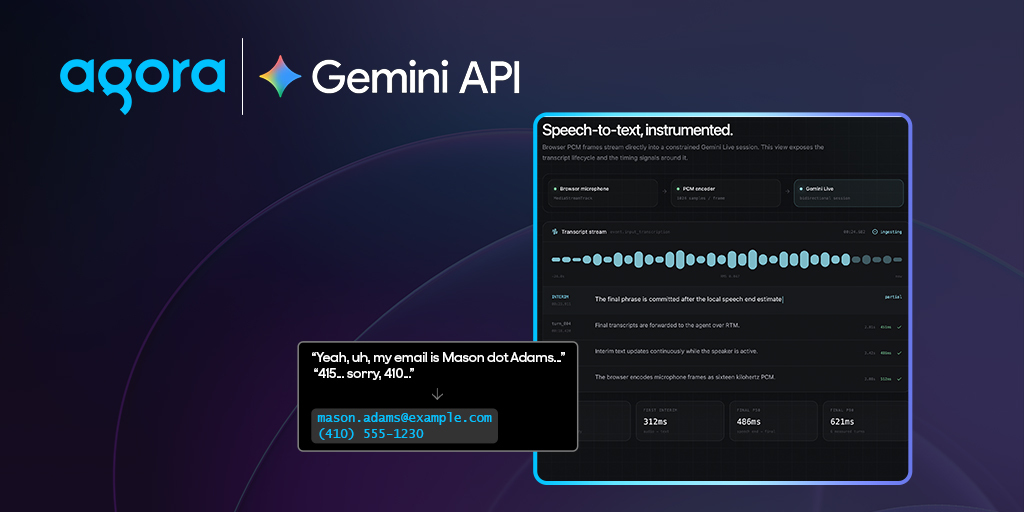
Voice agents typically use a cascading pipeline:
Userspeech → Speech-to-text → LLM → Text-to-speech → UserSpeech-to-text converts the user's audio into text, the LLM decides how to respond, and text-to-speech turns that response back into audio.
Agora Conversational AI manages that pipeline inside a real-time RTC session.
With GeminiTranscribeSTT in the Agora Agents SDK for TypeScript, Gemini 3.5 Transcribe can serve as the speech-to-text stage while the rest of the agent remainsprovider-independent. You can pair it with an OpenAI-compatible LLM, MiniMax or ElevenLabs TTS, and the same Agora RTC and RTM architecture used by other Conversational AI agents.
This guide walks through the integration: configuring Gemini 3.5 Transcribe on the server, starting the agent, connecting the browser, receiving transcripts through RTM, and troubleshooting the most common issues.
How the architecture works
The Gemini integration runs server-side.
The browser does not connect directly to Gemini, and your Google API key never reaches the client.
The flow is straightforward:
The browser publishes microphone audio through Agora RTC. Agora sends that audio to Gemini 3.5 Transcribe. The resulting transcript becomes input to the LLM. The LLM response is sent to TTS, and the generated audio returns to the user over Agora RTC.
RTM provides a separate data path for transcripts, agent state, metrics, and errors.
In practice:
RTC handles audio. RTM handles application events.
Install the SDK
Install the Agora Agents SDK on your Node.js or Next.js server:
npm install agora-agentsFor a browser client that needs RTC audio, RTM events, and the Agent Client Toolkit:
npm install agora-rtc-react agora-rtc-sdk-ngagora-rtm agora-agent-client-toolkit agora-tokenKeep agent creation on the server.
Your Agora App Certificate and Google API key should never be included in a browser bundle.
Configure the environment
A Next.js application can use the following environment variables:
NEXT_PUBLIC_AGORA_APP_ID=your_agora_app_id
NEXT_AGORA_APP_CERTIFICATE=your_agora_app_certificate
GOOGLE_API_KEY=your_google_api_key
NEXT_PUBLIC_AGENT_UID=123456
The Agora App ID is safe to expose to the browser.
The App Certificate and Google API key are server-only values. Do not add NEXT_PUBLIC_ to either secret.
The agent UID identifies the AI participant inside the RTC channel. The browser uses this value to distinguish the agent from human participants, so the client and server must agree on it.
Create the agent pipeline
The following TypeScript example configures Gemini 3.5 Transcribe for STT, an OpenAI-compatible model for reasoning, and MiniMax for speech output.
import {
  Agent,
  AgoraClient,
  Area,
  ExpiresIn,
  GeminiTranscribeSTT,
  MiniMaxTTS,
  OpenAI,
} from 'agora-agents';

function requireEnv(name: string): string {
  const value = process.env[name];

  if (!value) {
    throw new Error(`Missing environment variable: ${name}`);
  }

  return value;
}

const appId = requireEnv('NEXT_PUBLIC_AGORA_APP_ID');
const appCertificate = requireEnv('NEXT_AGORA_APP_CERTIFICATE');
const googleApiKey = requireEnv('GOOGLE_API_KEY');

const client = new AgoraClient({
  area: Area.US,
  appId,
  appCertificate,
});

const greeting = 'Hello! How can I help?';

const agent = new Agent({
  client,
  instructions: 'You are a concise and helpful voice assistant.',
  greeting,
  failureMessage: 'Please wait a moment.',
  maxHistory: 50,

  turnDetection: {
    config: {
      speech_threshold: 0.5,

      start_of_speech: {
        mode: 'vad',
        vad_config: {
          interrupt_duration_ms: 160,
          prefix_padding_ms: 300,
        },
      },

      end_of_speech: {
        mode: 'vad',
        vad_config: {
          silence_duration_ms: 480,
        },
      },
    },
  },

  advancedFeatures: {
    enable_rtm: true,
  },

  parameters: {
    data_channel: 'rtm',
    enable_error_message: true,
    enable_metrics: true,
  },
})
  .withStt(
    new GeminiTranscribeSTT({
      apiKey: googleApiKey,
      model: 'models/gemini-3.5-transcribe-live',
    }),
  )
  .withLlm(
    new Gemini({
      apiKey: geminiSttApiKey,
      model: 'gemini-3.6-flash',
      systemMessages: [{ parts: [{ text: PROMPT}], role: user}]
      greetingMessage: GREETING,
      failureMessage: 'Please wait a moment.',
      maxHistory: 15,
    }
  ))
  .withTts(
    new GoogleTTS({
      key: googleTtsCredentials,
      voiceName: 'en-US-Chirp3-HD-Charon',
    }),
  );

export async function startAgent(
  channelName: string,
  requesterUid: string,
): Promise<string> {
  const session = agent.createSession({
    name: `gemini-transcribe-${Date.now()}`,
    channel: channelName,
    agentUid: process.env.NEXT_PUBLIC_AGENT_UID ?? '123456',
    remoteUids: [requesterUid],
    idleTimeout: 30,
    expiresIn: ExpiresIn.hours(1),
    debug: false,
  });

  return await session.start();
}
AgoraClient authenticates the Conversational AI lifecycle calls using your App ID and App Certificate.
Agent.createSession() generates the agent'sRTC token and builds the join request.
session.start() returns the runtime agent ID. Save this ID if your application needs to stop or inspect the session later.
The remoteUids array controls which RTC users the agent listens to.
For production:
remoteUids: [requesterUid]For broad development testing:
remoteUids: ['*']Using ['*'] subscribes the agent to every user in the channel, so production applications should generally limit the agent to the intended participants.
Configure Gemini 3.5 Transcribe
The model used for real-timetranscription is:
models/gemini-3.5-transcribe-liveGemini 3.5 Transcribe also includes language guidance:
language_codes=["es-ES"]To enable automatic language identification, multilingual transcription, and code-switching detection, simply omit language_codes or pass an empty array:
language_codes=[]This is especially useful for voice agents because the application does not always know which language a caller will use before the conversation begins.
The Gemini API also includes custom_vocabulary that can be used to bias recognition toward domain-specific terms such as company names, product names, acronyms, technical terminology, or other words that may otherwise be difficult to recognize reliably.
Start the agent from a server route
The browser should first request a channel name and combined RTC + RTM token from your server.
It can then send the returned channel and UID to a protected agent-start route.
export async function POST(request: Request) {
  const body = await request.json();
  const { channel_name, requester_id } = body;

  if (!channel_name || !requester_id) {
    return Response.json(
      {
        error: 'channel_name and requester_id are required',
      },
      {
        status: 400,
      },
    );
  }

  const agentId = await startAgent(
    channel_name,
    requester_id,
  );

  return Response.json({
    agent_id: agentId,
    state: 'STARTING',
  });
}
A successful start request means the agent is starting. It does not necessarily mean the agent has already joined the RTC channel.
The browser should wait for the RTC user-joined event for the configured agent UID before expecting agent audio.
In production, authenticate the route, authorize the caller for the requested channel, validate the RTC UID, rate-limit agent creation, and generate unique agent names.
Connect the browser with RTC and RTM
The browser has three main responsibilities.
Join RTC and publish the microphone
const { isConnected } = useJoin(
  {
    appid: process.env.NEXT_PUBLIC_AGORA_APP_ID!,
    channel,
    token,
    uid: Number(uid),
  },
  isReady,
);

const { localMicrophoneTrack } = useLocalMicrophoneTrack(isReady);

usePublish([localMicrophoneTrack]);
Connect to RTM
Log in using the same identity used togenerate the token and subscribe to the same channel:
const rtm = new AgoraRTM.RTM(appId, uid);

await rtm.login({ token });
await rtm.subscribe(channel);
InitializeAgoraVoiceAI
After RTC joins successfully, initializethe Agent Client Toolkit.
const ai = await AgoraVoiceAI.init({
  rtcEngine: rtcClient,
  rtmConfig: {
    rtmEngine: rtm,
  },
  renderMode: TranscriptHelperMode.TEXT,
});

ai.subscribeMessage(channel);

ai.on(
  AgoraVoiceAIEvents.TRANSCRIPT_UPDATED,
  (transcript) => {
    setTranscript([...transcript]);
  },
);

ai.on(
  AgoraVoiceAIEvents.AGENT_METRICS,
  (_agentUid, metrics) => {
    setLatestMetrics(metrics);
  },
);
The toolkit converts RTM payloads intotranscript, state, metric, and error events that are easier for yourapplication to consume.
Generate a token with RTC and RTM privileges
RTM requires a token with RTM privileges.
Use RtcTokenBuilder.buildTokenWithRtm rather than an RTC-only token builder:
import {
  RtcRole,
  RtcTokenBuilder,
} from 'agora-token';

const token = RtcTokenBuilder.buildTokenWithRtm(
  appId,
  appCertificate,
  channel,
  uid.toString(),
  RtcRole.PUBLISHER,
  expirationTime,
  expirationTime,
);
The RTC UID, RTM login UID, and tokensubject should all match.
The RTM client must also subscribe to the same channel used by RTC and the agent session.
Stop the agent cleanly
To stop the agent, make sure your server keeps track of the AgentSession object:
await session.stop();After requesting the stop, log the browser out of RTM and unmount the RTC conversation view.
If you are using Agora React hooks, let the hooks handle leave, unpublish, and microphone-track cleanup instead of manually closing resources they already manage.
Troubleshooting
Agent starts but cannot hear the user
Confirm that the browser published an enabled microphone track and that remoteUids contains the browser's real RTCUID as a string.
Audio works, but transcripts or metrics are missing
Check the complete RTM chain.
The token must contain both RTC and RTM privileges.
The RTM client must log in with the same UID used to generate the token and subscribe to the same channel.
The agent must also enable RTM:
advancedFeatures: {
  enable_rtm: true,
}
and configure RTM as its data channel:
parameters: {
  data_channel: 'rtm',
}
For metrics:
enable_metrics: true
must also be enabled.
The start call succeeds, but there is no agent audio
Do not treat a successful lifecycle API response as proof that the agent has already joined RTC.
Wait for the configured agent UID to appear in the RTC channel.
RTM returns an invalid-token error
Confirm that the server uses:
buildTokenWithRtmand that the UID passed to RTM login exactly matches the token subject.
Production checklist
Before shipping:
- Keep the Google API key server-side.
- Keep the Agora App Certificate server-side.
- Authenticate and rate-limit token, start, and stop routes.
- Associate every runtime agent ID with its owning application user.
- Generate unique agent names.
- Renew RTC and RTM tokens before expiration.
- Treat RTM payloads as untrusted input.
- Disable verbose SDK logging in production.
- Record STT, LLM, and TTS latency independently.
Measuring each stage separately makes it much easier to understand where latency changes when switching transcription, reasoning, or speech providers.
Smart Transcription support is coming soon
Gemini 3.5 Transcribe introduces a new mode parameter inside input_audio_transcription with two transcription modes.
VERBATIM, the default, preserves the literal speech including filler words, repetitions, and false starts.
SMART cleans and structures the transcript in real time. It can remove disfluencies, resolve inline self-corrections, improve grammar and casing, and automatically format things like numbers, dates, lists, and paragraph breaks.
For example, someone might say:
"My number is four one five, uh sorry, four one zero, five five five, twelve thirty."
A verbatim transcript preserves that correction.
Smart Transcription can resolve the false start and produce the corrected information instead.
This becomes especially valuable for production voice agents because transcripts often become inputs to tools, CRM fields, phone numbers, email addresses, scheduling systems, and other software that is much less tolerant of conversational ambiguity than a human listener.
Using Agora's RESTful API, Gemini's API exposes Smart Transcription like this:
{
  "setup": {
    "model": "models/gemini-3.5-transcribe-live",
    "generationConfig": {
      "responseModalities": ["TEXT"]
    },
    "inputAudioTranscription": {
      "mode": "SMART"
    }
  }
}
Agora Agents SDK support for configuring Smart Transcription through GeminiTranscribeSTT is coming soon.
Once that update lands, this guide will be updated with the corresponding Agora configuration.
Ready to try it? Explore the Gemini Transcribe integration in the Agora Docs to get started.


