
The Agora team has released Conversational AI Engine v2.13, with several updates to how developers can build and extend voice and multimodal agents on Agora.
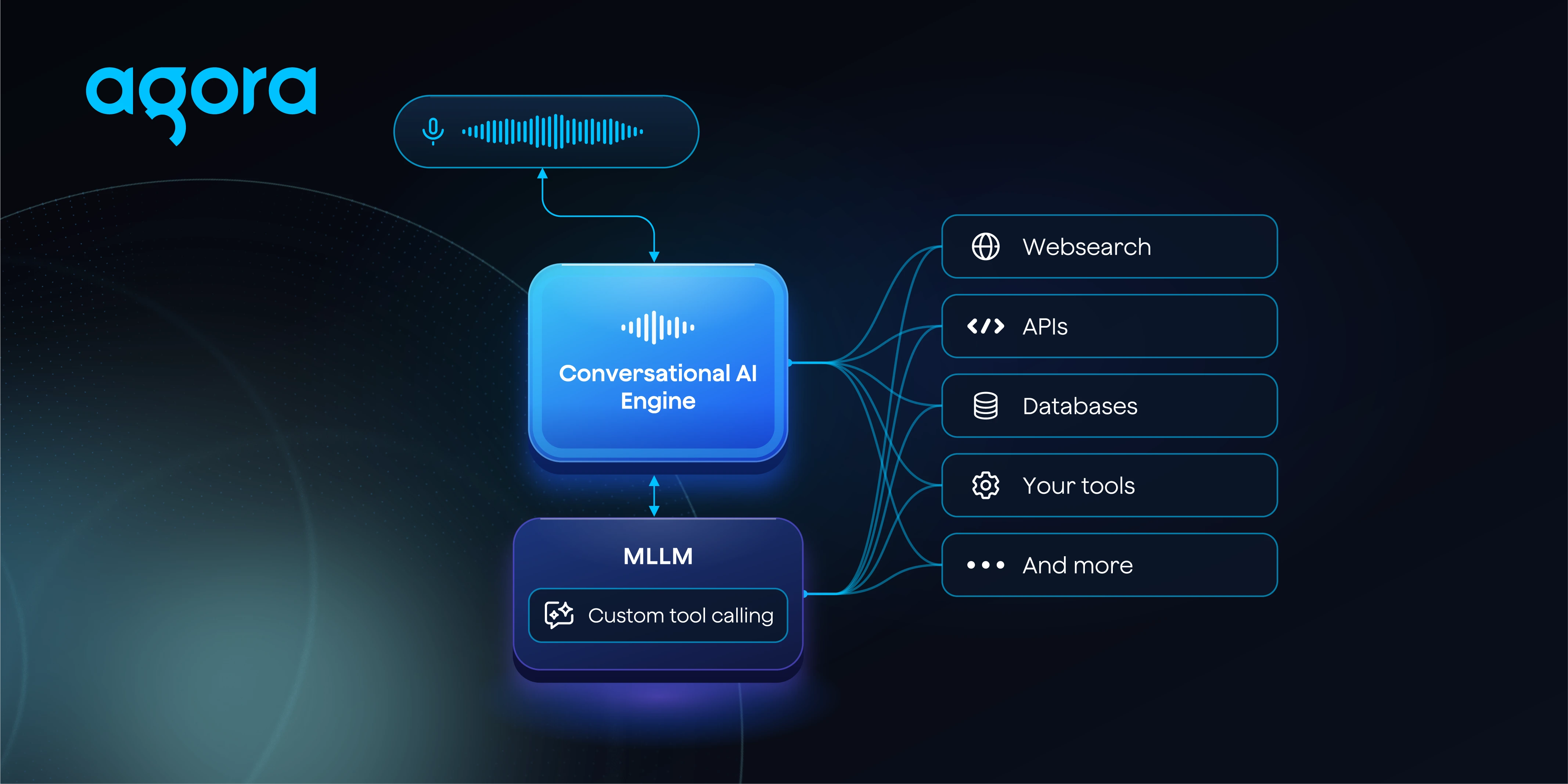
The biggest addition is custom tool calling for MLLM agents. Until now, developers that needed to use custom tools were restricted to using a cascading architecture. With v2.13, MLLMs can call the same HTTPS tools. This means an agent using a realtime multimodal model like Gemini-3.8-Live or OpenAi’s GPT-Live-1 can interact with your application and external services during a conversation.
We’ve also brought MCP configuration for MLLMs into the Agora Agents SDKs, added OpenAI GPT-Live-1 and Smallest AI’s STT and TTS as new model options, along with improved generated filler words by giving them access to recent conversation history.
MLLM agents can now call your tools
One of the tradeoffs when choosing between a cascading voice agent and an MLLM has been how much control you have over the individual parts of the agent.
With a traditional cascade, audio moves through separate ASR, LLM, and TTS stages. That gives developers a lot of flexibility to choose individual models and control how the LLM interacts with tools. MLLMs take a different approach, handling more of the conversation directly within a realtime multimodal model.
With v2.13, choosing an MLLM no longer means giving up custom tool calling.
You can define tools backed by your own HTTPS endpoints and make them available to the MLLM using the same tool definitions supported by cascading LLM agents. When the model determines that it needs a tool, it can generate the arguments for the call, use the result, and continue the conversation.
That makes it possible to build agents that need to do more than answer questions. A customer support agent could retrieve information about an account before responding. A scheduling agent could check availability against your backend. An agent inside an application could retrieve live data or trigger an application-specific workflow.
The important part is that these capabilities can now be used while keeping the MLLM architecture.
Custom tools are supported through both the Agora Agents SDKs and the RESTful API. When configuring an MLLM through the REST API, define your tools under mllm.tools and enable advanced_features.enable_tools.
MCP support is now available through the Agents SDKs
Custom HTTPS tools aren’t the only way to give an agent access to external systems. We introduced support for connecting MCP servers to MLLM agents through the RESTful API in v2.12, and v2.13 brings that configuration into the Agora Agents SDKs as well.
MCP servers can now be configured directly on MLLM vendor classes when building an agent with the SDK.
If your team already exposes internal systems or third-party services through MCP, those tools can be made available to the MLLM without rebuilding each integration specifically for your voice agent. This also gives developers a choice between defining individual HTTPS tools and connecting an existing MCP server depending on how their application is structured.
Together with custom tool calling, this is an important step toward making MLLM agents easier to connect to the rest of a production application rather than treating the model as an isolated conversational endpoint.
More model choices
Conversational AI Engine is designed so that developers aren’t locked into a single model stack. v2.13 expands the providers available across both multimodal and speech components.
OpenAI GPT-Live is now available as an MLLM provider. If you’re building around OpenAI’s realtime multimodal model, you can use it within the same Conversational AI Engine infrastructure used to manage the realtime session and connect the agent to users.
We’ve also added Smallest AI as a provider for both ASR and TTS, giving developers another option when configuring a cascading voice agent.
This is especially useful when testing different agent architectures. You can build around an MLLM such as GPT-Live, or continue using a cascade where ASR, the LLM, and TTS are configured independently.
Generated filler words now understand more of the conversation
Latency in a voice agent isn’t only about making every operation faster. Sometimes an agent genuinely needs a moment to generate an answer, call a tool, or wait for another service to return a result.
Generated filler words help manage that gap by letting the agent say something appropriate while the actual response is being prepared. The problem is that a filler phrase can sound strange if it doesn’t understand what has already happened in the conversation.
In v2.13, generated filler words can use recent conversation history as context.
You can configure how much history is passed to the filler generator using both a message count and a character budget. This lets you provide enough context for the filler phrase to make sense without continually sending the entire conversation.
Consider a user who has already explained an issue over several turns and then asks the agent to check something related to it. A generic response like “Let me think about that” may technically fill the silence, but it can feel disconnected from the conversation. Giving the filler generator recent context gives it a better chance of producing something appropriate to that moment.
There is also an important behavior change if you’re already using this feature. A custom generated-filler-word prompt now fully replaces Agora’s default prompt. Previously configured custom prompts should be reviewed when upgrading to make sure they include all of the instructions you expect.
What to check when upgrading
There are a few configuration changes worth reviewing before moving an existing agent to v2.13.
If you’re adding custom tools to an MLLM through the RESTful API, configure them using mllm.tools and make sure advanced_features.enable_tools is enabled.
If you use a custom prompt for generated filler words, review it before upgrading. Your prompt now replaces Agora’s default rather than being combined with it.
Finally, as we flagged in the v2.12 release, integrations using a non-default ASR vendor must include asr.params starting with v2.13. If you already have an agent running with another ASR provider, check that configuration as part of the upgrade.
Start building with v2.13
Conversational AI Engine v2.13 is available now.
We’re particularly interested to see what developers build with tool-enabled MLLM agents. Being able to use a realtime multimodal model while still connecting the agent to your application’s APIs and MCP tools removes a limitation that previously affected how developers chose between MLLM and cascading architectures.
You can find the complete configuration details, API changes, and upgrade notes in the Conversational AI Engine v2.13 documentation.


